Press Brake Tonnage Calculator
— Stop Guessing. Start Bending.

The digital assistant for press brake operators. Validate tonnage, match tooling, and save your setups—without the scrap paper math.

Working from a chart instead? Here’s the full press brake tonnage chart in tons per foot.

14-Day Free Trial No Credit Card Required
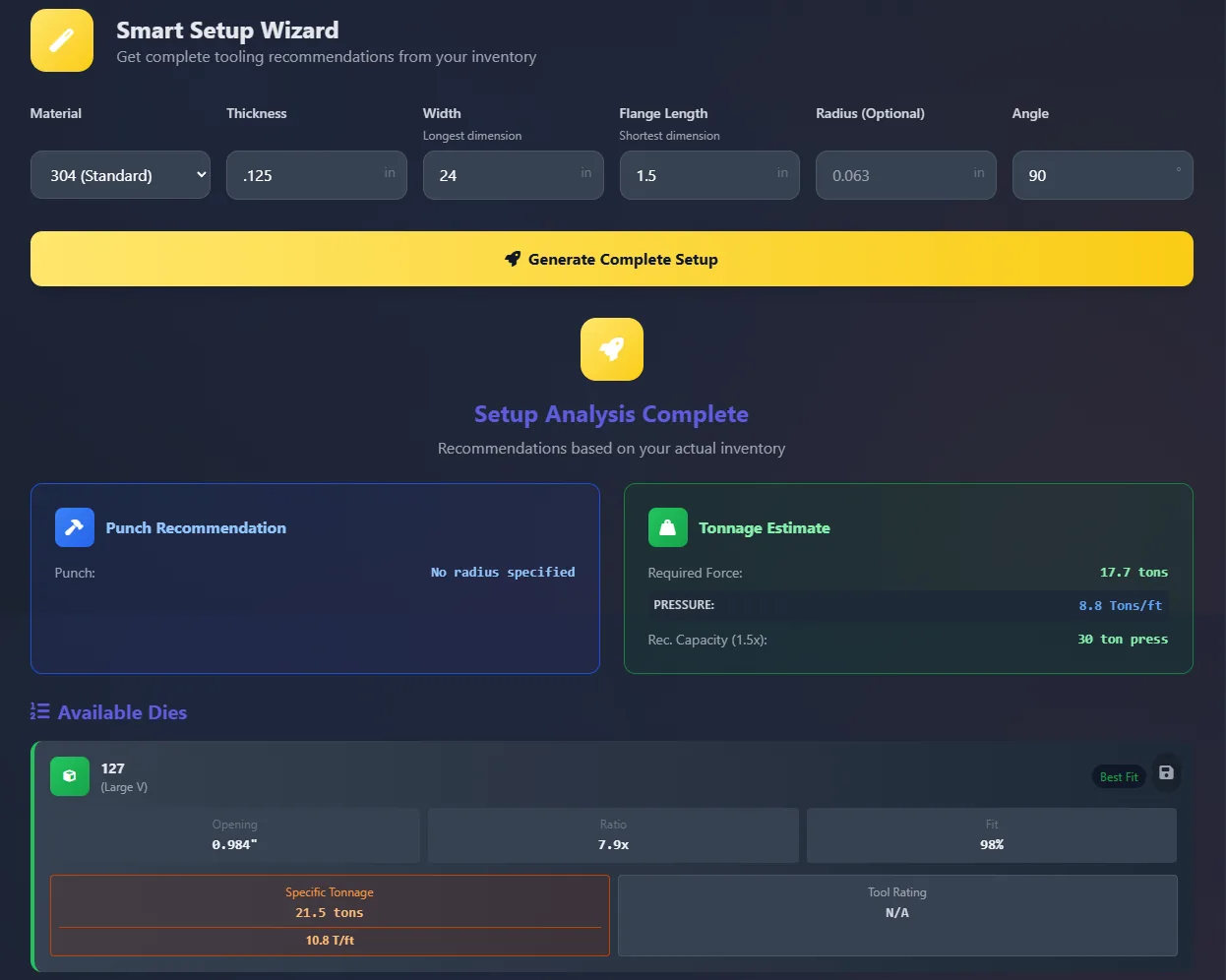
Smart Wizard Interface

Picks the safest die from your own tooling

Don't just grab the nearest die. The Smart Wizard scans your actual inventory to find the safest, most accurate tool for the job. It calculates air bend force, validates flange lengths, and warns you of tonnage overloads before you even touch the machine.

  • Tonnage Safety Checks (1.5x Factor)
  • Geometric "Impossible Bend" Detection
  • Matches against YOUR inventory
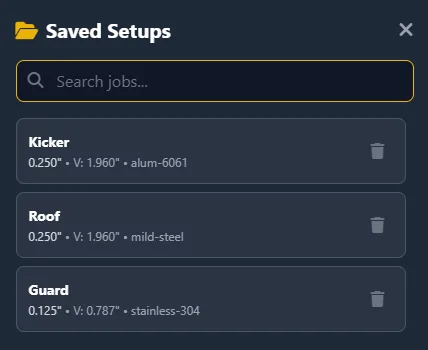
Saved Jobs Interface

Every setup saved for the rerun

Stop writing setups on cardboard. With Saved Jobs, you can lock in a successful setup (Material, Die, Thickness) and recall it instantly next time the order comes through.

  • Searchable Job Database
  • Save directly from the Wizard
  • Share setups across shifts
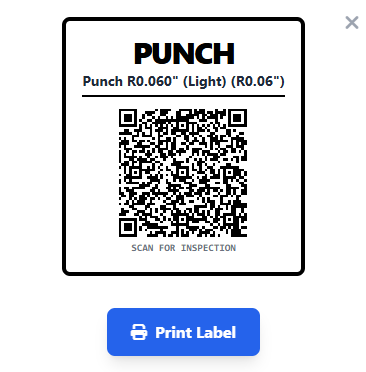
QR Label Printing

QR labels on every die and punch

Bridge the gap between your digital data and your physical tool rack. Generate QR Code Labels for every die and punch. Operators can scan the tool with their phone to instantly log inspections and check wear history.

  • One-click Label Printing
  • Instant "Scan-to-Edit" access
  • Track ISO inspection dates

At the brake, on your phone, or in your shop system

Precision Form works wherever you do. Access the tool manager on your phone at the machine, or integrate our Headless API directly into your ERP system.
Mobile Optimized REST API Access Secure Cloud
From the shop floor

Proof, not promises.

Same part, same brake, same day. Precision Form called the setup—then the gauge did the talking.

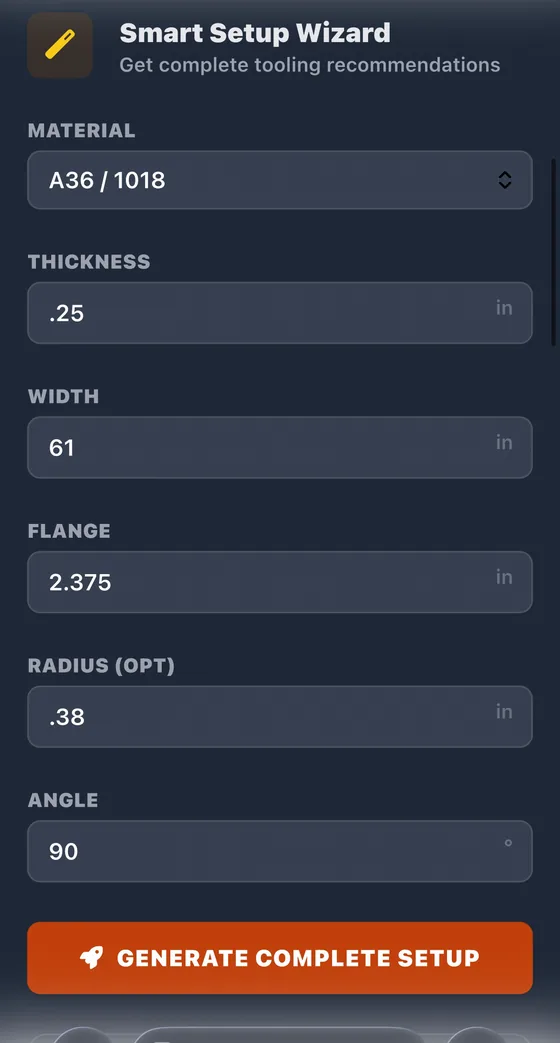
Precision Form Smart Setup Wizard with a 61-inch, quarter-inch A36, 90-degree bend entered

01 — The setup

¼″ A36, 61″ wide, 90° bend. Punched into the Smart Setup Wizard in seconds.

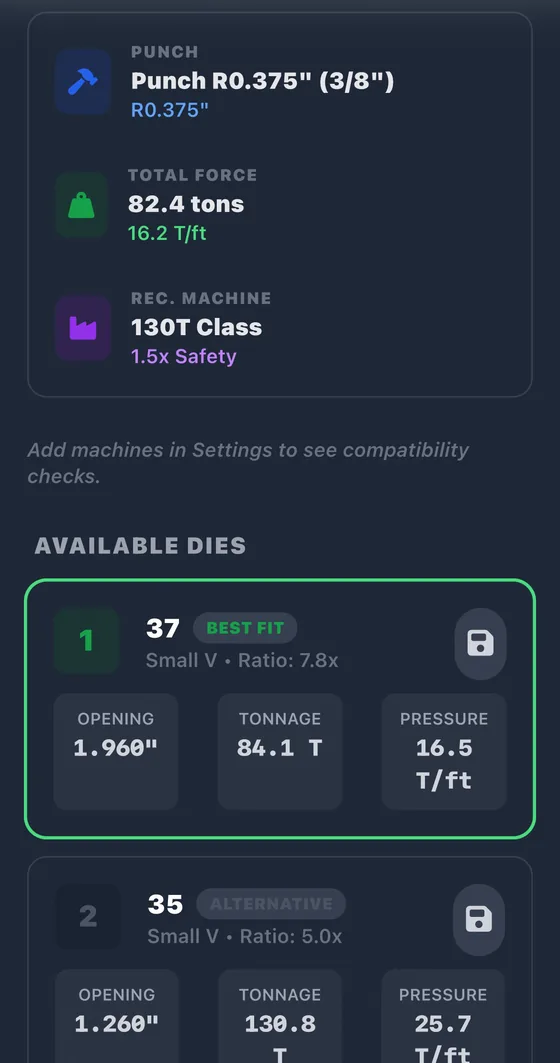
Precision Form results recommending Die 37 at 84.1 tons as best fit and flagging Die 35 at 130.8 tons

02 — The prediction

Die 37 at 84.1 tons — best fit. Die 35 at 130.8 tons — flagged high pressure before anyone touched the machine.

Pressure gauge on the press brake before the bend

03 — The proof

The real bend, on the real shop floor. Watch the needle climb on the gauge.

Stop guessing on your own floor.

Start Your Free Trial

Pricing that pays for itself

One prevented die crash pays for a year. Start with a 14-day free trial — no credit card required.

Basic

For the solo operator or single brake.

$50/mo
  • 1 device slot
  • Smart Setup Wizard & tonnage calculator
  • Tool inventory & saved jobs
  • QR code labels & inspection tracking
Start Your Free Trial

Pro Shop

For shops running multiple brakes & shifts.

$100/mo
  • 3 device slots
  • Everything in Basic
  • Team management & roles
  • Terminal seat management
Start Your Free Trial

Industrial

For multi-machine & multi-site operations.

$200/mo
  • 10 device slots
  • Everything in Pro Shop
  • Multi-machine tooling standardization
  • Priority support
Start Your Free Trial

All plans include a 14-day free trial. No credit card required.

Jon Chacon, founder of Precision Form Tools

Built on the shop floor

I'm Jon Chacon. I ran press brakes and CNC machines for over a decade — programming, setting up, and running the jobs myself.

Precision Form Tools came straight out of problems I ran into on the floor: tonnage guessed from a wall chart, the wrong die pulled because nobody wrote the last setup down, numbers that changed depending on who was working the brake.

So I built the tool I wanted at the machine. It does the tonnage math, picks the safest die from your actual inventory, and saves the setup so the next run comes out the same. It's a JC Build Labs product. Free 14-day trial — no credit card required.